


Polaroid Lab & Emulsion Lifts
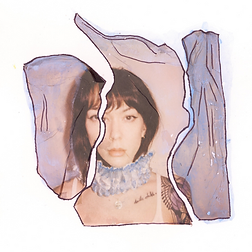
Bridging Digital and Analog
A Bridge Between Two Worlds
There’s something magical about blending the digital world with analog photography — a
tactile connection that transforms your images into one-of-a-kind art.
The Polaroid Lab is that bridge. It turns your digital photos into instant film prints, letting you
hold your digital memories in your hands. And with a bit of experimentation, it opens the door
to creative techniques like emulsion lifts, where chemistry meets artistry.
The process of creating with the Polaroid Lab isn’t just about making prints — it’s about
slowing down, experimenting, and rediscovering the hands-on magic of photography. This
post walks through the essentials of using the Lab, understanding exposure and editing, and
creating emulsion lifts that turn ordinary images into tactile works of art.
What Is the Polaroid Lab?
Think of the Polaroid Lab as a mini darkroom for your phone. It projects your digital image
onto Polaroid film through light exposure — not a printer head or ink.

It’s a return to process and patience, connecting you to photography’s roots while keeping
the ease of digital. Each print carries the imperfections and charm that make analog
photography feel alive.
Dialing In Exposure & Color in the Polaroid App
A few small adjustments can make a world of difference. Experiment with your settings to find
your favorite balance of brightness and saturation:
Exposure: 0 | Color: 50 — balanced and true-to-life
Exposure: -3 | Color: 50 — deeper shadows and mood
Exposure: +3 | Color: 50 — airy and bright
Exposure: 0 | Color: 0 — soft and desaturated
Exposure: 0 | Color: 100 — bold and vivid
There’s no single “correct” combination — only what feels right for your subject and style.
Embrace the unpredictability.

External Editing
You can edit directly in the Polaroid Lab app, but for greater control, try adjusting your image
externally before printing. Apps like Lightroom or VSCO let you fine-tune exposure, contrast,
and color balance in more detail. Most importantly, edit with intention.
Ask yourself: How will this translate to film?
What looks perfect on a bright screen might print differently when light passes through
chemistry.
Contrast is key when it comes to Polaroid film, especially B&W film.

Trust the Preview
The Lab’s preview screen shows you how your image will appear once printed. If it looks right
there — trust it. The preview interprets your image through light, not pixels, and it’s
surprisingly accurate to the final result.
Sometimes the digital version might seem off, but the film will bring it to life in its own way.
That’s part of the beauty.

Templates & Composition
Don’t overlook the Lab’s template options. Each layout changes the crop and composition of
your image. A square format might center your subject perfectly, while a wider crop can
highlight texture or atmosphere.
Take time to explore — small framing changes can shift the emotional feel of a print.

Emulsion Lifts: Where the Fun Begins
Once your image is printed, the creative possibilities expand even further.
An emulsion lift involves carefully peeling the top emulsion layer from a developed Polaroid
and transferring it onto another surface — watercolor paper, glass, wood, or even fabric.
It’s a delicate, hands-on process that celebrates imperfection. Every lift has its own quirks:
torn edges, folds, floating layers. That unpredictability is what makes it beautiful.
How to Do an Emulsion Lift
Here’s a simple overview:
1. Let your print develop fully.
Black & white film takes about 5–10 minutes.
Color film takes 30–40 minutes.
2. Trim and separate.
Use scissors to cut off the white borders of the Polaroid.
Gently peel the image layers apart to reveal the thin emulsion side.
3. Soak in hot water.
Place the emulsion layer in a tray of hot water.
After a few moments, you’ll see the emulsion lift away and float freely.
4. Transfer and arrange.
Carefully transfer the floating emulsion onto your chosen surface — watercolor paper
works beautifully.
Adjust its placement with a soft brush or your fingertips.
Let it dry completely.
Every lift will be unique — part science, part accident, part art.
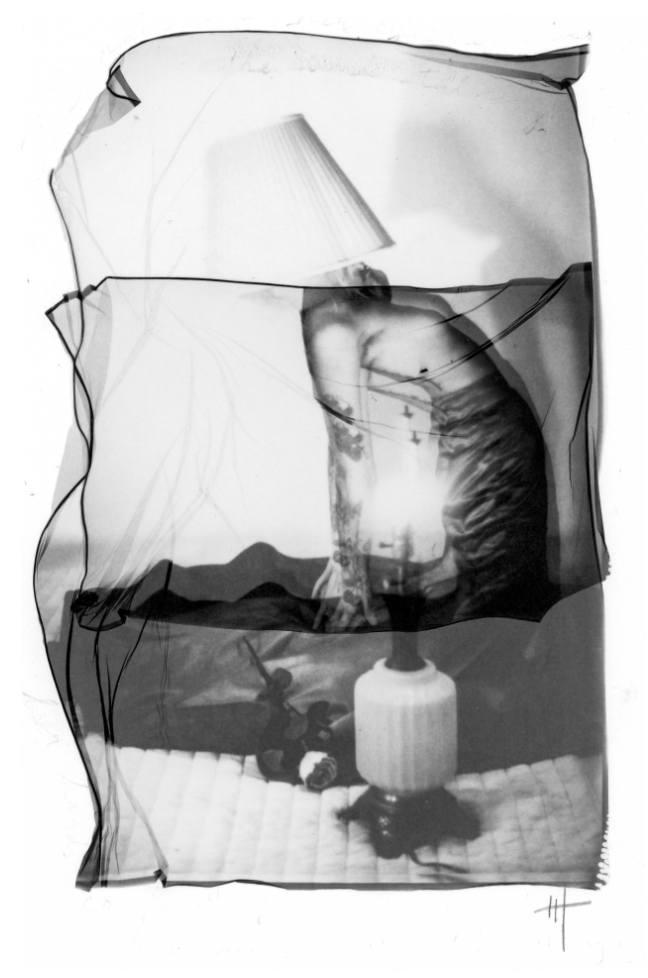
Happy Printing, Happy Lifting! <3
If you’d like to dive deeper into the emulsion lift process, I have a Polaroid Lift Guide available
for digital download on my website. It’s a step-by-step guide filled with illustrations,
examples, and tips :)


Comments